My Favorite Songs


Get a playlist! Standalone player Get Ringtones
Monday, April 12, 2010

Hardest Concept of the Game

I am doing a blog for the STEM Games contest. The blog is about the hardest concept of our game. The hardest concept for people to understand is that gambling is only a problem if you don't know how to quit. Quitting is also the hardest thing for a problem gambler to accomplish.

Wednesday, March 24, 2010

Character Effects

Today, we finished the character effects for our game. Character effects involve changing the properties of an object. The character effects we made changes the color of an object as you scroll over buttons.

Here is the link to the file:
http://myglife.org/usa/wv/lhswiki/images/9/95/JDLee_lhs_charactereffects.swf

Tuesday, March 23, 2010

Timer

We finished the timer yesterday, but I had no time to start the blog. The timer counts down from ten seconds to zero, but a problem occurs that make the timer start counting down negative time.

Here is the link to the timer: http://myglife.org/usa/wv/lhswiki/images/8/87/Digital_timer.swf

Monday, March 22, 2010

Score Keeping

I have just completed the score keeping section of the development topics. This topic involved changing the variables in Fly Catcher and Go Rabbit, Go! games. I also created a simple "game" that involves pushing a button to raise and lower your score.

Here is the link to the "game" I made:
http://myglife.org/usa/wv/lhswiki/images/c/c3/Score_prototype.swf
The green button raises your score by one hundred but the red button lowers your score by seventy-five.

Wednesday, March 17, 2010

Adding Sound

For the past few days we have been trying to add sound to our game and finally succeeded today. We used a volume slider to control the loudness of the volume and a play and stop button to make the music actually start and stop.

Here is the link to the volume slider: http://myglife.org/usa/wv/lhswiki/images/7/7c/Soundslider.swf

Thursday, March 4, 2010

Preloader

We started the preloader section of our game on the Monday of this week. At first we could not figure out how to make the preloader work, but Mrs. Halsey put a link to a tutorial on the main wiki page that helped us make the preloader. We then stated having trouble uploading it to the wiki. I asked Meredith and she told us to use an animation, which we have already done for two of our games.

Here is the link to the tutorials:
Part 1:
http://www.viddler.com/explore/dorklessons/videos/12/
Part 2:
http://www.viddler.com/explore/dorklessons/videos/13/


Tuesday, February 23, 2010

Learning From Others

Today we did the Learning from Others section on the wiki. This section is about using movie clips, scenes, or codes from others peoples games to help our own game. This can be helpful by reducing the time needed to create your own movie clips, scenes, or code.
I also found this website with a lot of tutorials:

Yesterday, the class did the Programming Practices section of our game. We learned where to put the ActionScript in the game. We also edited the code fore the game Go Rabbit (right-click and select play, or else the game will not work.)

Wednesday, December 9, 2009

Assembling the Game

We have been assembling our game the past few days. This means we have been putting our game on one computer and been putting them all in one file.
The things that I learned from this topic this year is that the game was harder to make then I originally expected
I also have to answer this question, if you had money, influence and power, what would you do to make an impact for the better? My answer to this question is this, I would use the money to launch campaigns against gambling.
Here is a link to our assembled game:
http://www.myglife.org/usa/wv/lhswiki/images/0/0b/Game_Screens_Together.swf

Friday, December 4, 2009

Adding Interaction

We are adding interaction to our game. This involves using arrow keys to make our characters on the screen. I chose to make my screen the main character of Final Fantasy IV,Cecil, getting stomped on by the game's main enemy, Golbez.
The game were making will move a little differently though, we will be using mouse clicks to move the character. I am also liking Flash a lot more now that I can grasp it easier than I did at the beginning of the year.
Here is the link to the interaction:
http://www.myglife.org/usa/wv/lhswiki/images/0/03/JDlee_lhs_addinginteraction.swf
You have to click on the screen before you can use the arrow keys.

Wednesday, December 2, 2009

Adding Animation

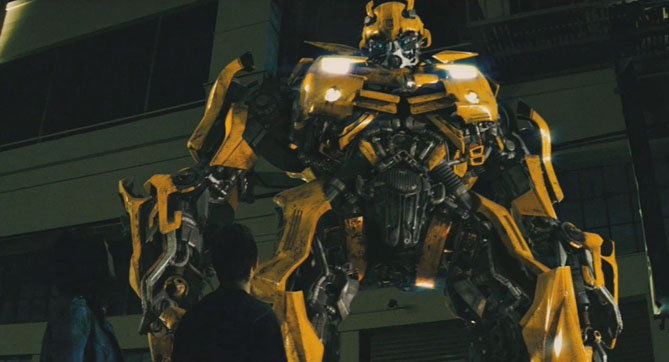
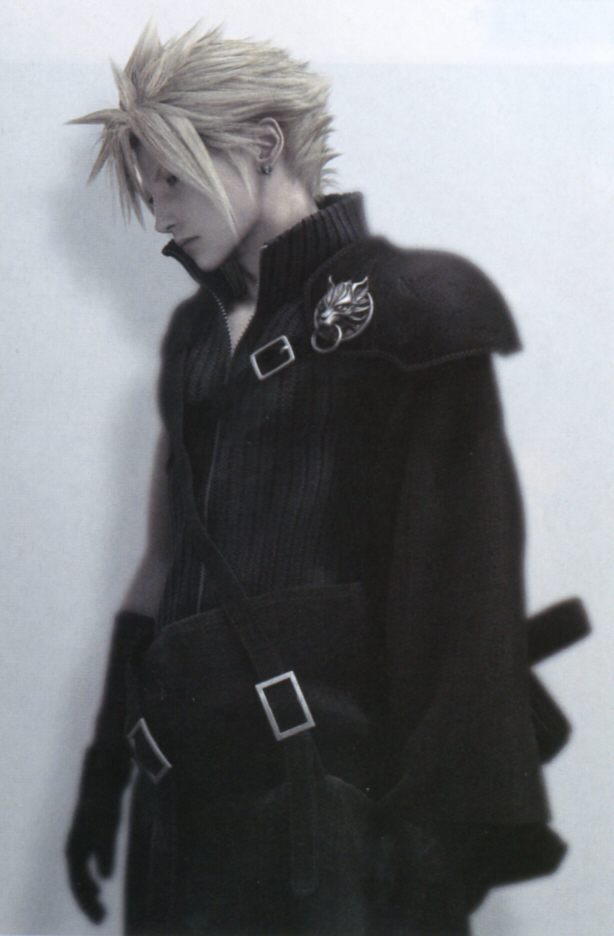
I am doing this blog a bit late, but we added animation to Flash a few days ago. The mos inspiring animation I have seen is either the Transformers on Transformers: Revenge of The Fallen or Final Fantasy VII: Advent Children.I like these because they are some of the most realistic computer graphics that I have ever seen.
Here is a link to a Transformers picture:
http://images4.wikia.nocookie.net/transformers/images/b/b3/Movie_BumblebeeCC_guardian.jpg.
Here is a link to a Final Fantasy picture: http://images1.wikia.nocookie.net/finalfantasy/images/8/8f/Cloud-advent-children.png.

Tuesday, December 1, 2009

Adding Sound to a Game

We are adding sound to buttons and animation in Flash. The sound is important because it can keep the person playing the game interested. The game I've played with the best music I know of is Kingdom Hearts. Our game topic seems still like a good choice to me. Most of the information on the blogs I follow are things that I already know, unfortunately.

Thursday, October 29, 2009

Drawing in Flash

We have been redrawing our paper prototypes in flash the past few days. Our subject is the effects of gambling on society. I have learned more of the concept and rules behind the games we are creating.

Tuesday, September 29, 2009

I Made a Game Concept

Today my team made a concept for a game called Nico-nico. The part of the game I am most excited about is the boss(lung cancer) and the weapons(lasers, nicotine gum, and disposal unit). The enemies will be nicotine and corrupted blood cells.

Tuesday, September 22, 2009

Creating a Movie in Flash

Today I created a movie in Flash. I think it was a lot of work for making a ball move across the screen, but it was easy after some of the people in the class told us how to do it. I am going to leave a link to the movie that I created: http://www.myglife.org/usa/wv/lhswiki/images/3/36/JDLee_lhs_movieclip.swf